
Silver Pines Save System: Payphones, Change, and Autosaves
How saving works in Silver Pines — payphone saves that cost spare change, story calls, and the Resident Evil-style save economy. Demo-verified.
FAQ
How do you save in Silver Pines?
Does Silver Pines autosave?
Silver Pines’ save system is one of its signature decisions — it treats saving as a resource, not a right. Here’s how it works in the demo and how to plan around it.
How do you save your game?
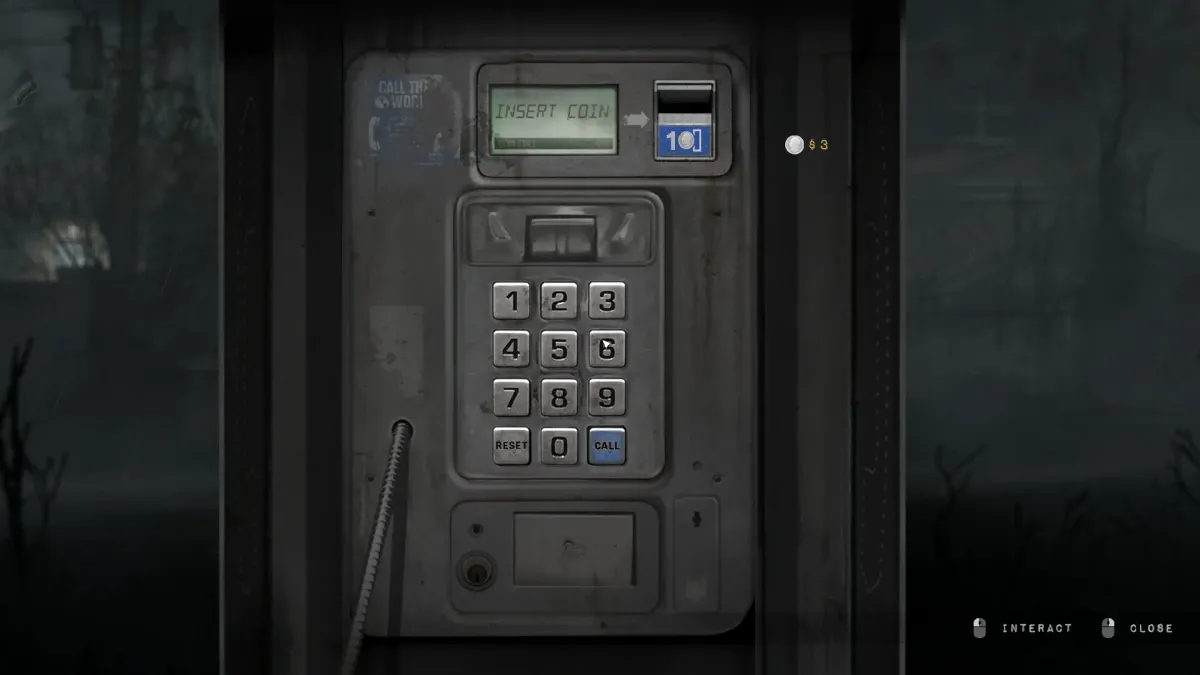
At payphones — and each save costs spare change. Phones are scattered through the town; interacting with one saves your progress for a small coin cost. It is explicitly the Resident Evil ink-ribbon model transplanted to small-town America: the save is a choice you pay for, which means choosing when to save is part of the strategy.

How do I keep enough change?
Loot registers, machines and rooms for coins — and budget them. Cash turns up as an item in drawers, motel rooms and store areas. Treat coins as a dedicated survival resource alongside ammo and healing: the rule of thumb is to never hit zero. A long stretch between phones with no change is how runs go bad.
Do phones do anything besides saving?
Yes — they’re a story channel. Calls come through on the payphone network: the demo opens with Red taking a call, and the mysterious radio voice of “Terminal Drive” haunts the same wavelength. Answering isn’t optional flavor; it’s how the case moves forward.
What’s the strategy for a long session?
Related reads: beginner tips for the broader survival doctrine, key items for where cash turns up, and the demo walkthrough for where the phones are on the route.
- Save after progress spikes — after a boss, a code entry, or a big loot haul. Pay the coin.
- Before a risky push, find a phone first — know where your save point is before you spend ammo.
- Count the cost of dying: a death with no recent save means re-running corridors, which burns the ammo you were trying to protect. The payphone economy is tuned so that cheapness about saving costs more than the coins ever do.
Will the full game change this?
Official material presents payphone saving as a core mechanic, not a demo quirk — expect it at launch on October 8, and expect this page to verify the details then.
Related Articles

All Silver Pines Bosses: Every Confirmed Boss Encounter
Every Silver Pines boss — what the Steam demo confirms about its boss encounter, official 'hulking bosses' wording, and boss-fight strategy.
Last updated Sep 24

Silver Pines Puzzle Solutions: Every Code and Lock in the Demo
All Silver Pines demo puzzle solutions — cabinet code 66, motel safe 7155, fuse box, keycards, padlocks, and the photo-pin map.
Last updated Sep 24

Silver Pines Beginner Tips: 9 Things the Demo Won't Tell You
Essential Silver Pines tips — payphone change, the reload skill-check, photo-pin mapping, padlock ammo, and inventory discipline before launch.
Last updated Sep 24
Was this helpful?
Thanks for the feedback!